SQL Queries for Data Analysis Beginners
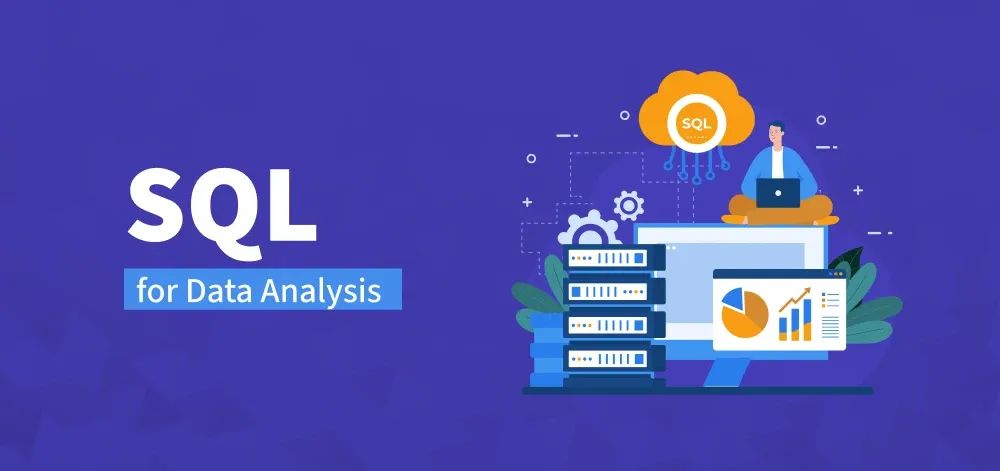
Introduction to SQL Queries for Data Analysis Beginners
SQL queries for data analysis beginners provide an essential foundation for anyone looking to work with databases and extract meaningful insights. Structured Query Language (SQL) enables users to interact with relational databases, retrieve data, and perform analytical operations efficiently. Mastering SQL queries for data analysis beginners allows individuals to explore large datasets, summarize information, and identify trends that inform business decisions.
Learning SQL as a beginner involves understanding database structures, writing basic queries, and gradually progressing to more complex operations. With SQL queries for data analysis beginners, users gain practical skills that bridge the gap between raw data and actionable insights.
Importance of SQL Queries for Data Analysis Beginners
For beginners, understanding SQL queries for data analysis is crucial because it empowers them to access and manipulate data directly. Unlike relying solely on prebuilt reports or spreadsheets, learning SQL provides flexibility and control over the information retrieved. Organizations benefit from team members who can efficiently query databases, reducing dependency on IT departments for data access.
SQL enables beginners to perform various data operations, such as filtering, sorting, aggregating, and joining tables. These foundational skills ensure that insights are accurate, relevant, and derived directly from the source, increasing confidence in decision-making processes.
Core Concepts in SQL Queries for Data Analysis Beginners
Understanding Databases and Tables
Before writing SQL queries for data analysis beginners, it’s essential to understand the structure of relational databases. Databases consist of tables, each containing rows (records) and columns (fields). Knowing how tables relate to one another helps beginners design queries that extract meaningful information.
Basic SQL Statements
The fundamental SQL statements include:
- SELECT: Retrieve data from one or more tables.
- WHERE: Filter records based on specific conditions.
- ORDER BY: Sort results in ascending or descending order.
- GROUP BY: Aggregate data based on common values.
- JOIN: Combine data from multiple tables.
Mastering these basic statements is the first step in SQL queries for data analysis beginners.
Data Types and Functions
Understanding data types is critical when working with SQL. Common types include integers, decimals, strings, dates, and booleans. Additionally, SQL functions such as COUNT, SUM, AVG, MIN, and MAX allow beginners to perform calculations and summarize data efficiently.
Step-by-Step Guide to SQL Queries for Data Analysis Beginners
Setting Up the Environment
To practice SQL queries for data analysis beginners, users need access to a relational database system. Popular options include MySQL, PostgreSQL, SQLite, and Microsoft SQL Server. Setting up a test environment allows beginners to experiment with queries without affecting live data.
Writing Basic Queries
Start with simple queries to retrieve specific columns from a single table. For example, selecting customer names and purchase amounts from a sales table introduces beginners to the SELECT statement. Using SQL queries for data analysis beginners, it’s important to experiment with different filtering conditions and sorting options to understand data behavior.
Aggregating Data
Aggregation is a core component of SQL queries for data analysis beginners. Using GROUP BY along with functions like SUM or AVG, beginners can summarize data, calculate totals, and find averages for key metrics. Aggregation helps reveal patterns that are not immediately apparent in raw datasets.
Joining Tables
Many analytical tasks require combining data from multiple sources. JOIN statements in SQL queries for data analysis beginners allow users to link related tables, such as connecting sales data with customer information. Understanding INNER JOIN, LEFT JOIN, RIGHT JOIN, and FULL JOIN is essential for accurate data analysis.
Filtering and Subqueries
Filtering data using WHERE clauses enables beginners to focus on relevant subsets of information. Subqueries allow complex analysis by nesting one query within another. Mastering these techniques ensures that SQL queries for data analysis beginners can handle more sophisticated analytical tasks.
Common Challenges in SQL Queries for Data Analysis Beginners
Understanding Syntax
Beginners often struggle with SQL syntax, including proper use of commas, parentheses, and quotation marks. Careful attention to detail and practice help overcome these challenges.
Handling Large Datasets
Querying large datasets can be overwhelming. Learning to use LIMIT, OFFSET, and indexing helps beginners manage performance and retrieve data efficiently.
Data Cleaning
Raw data often contains inconsistencies, missing values, or duplicates. Beginners must learn to clean and validate data within SQL queries to ensure accurate results.
Complex Joins and Relationships
Joining multiple tables with different relationships can be confusing. Understanding relational database principles and practicing JOIN operations are key to mastering SQL queries for data analysis beginners.
Tools and Platforms for SQL Queries for Data Analysis Beginners
Several tools support learning and executing SQL queries for data analysis beginners:
- MySQL Workbench: Provides a graphical interface for designing queries and managing databases.
- pgAdmin: A popular PostgreSQL management tool.
- SQLite Studio: Lightweight database tool for practice and experimentation.
- Jupyter Notebooks with SQL extensions: Combine code, documentation, and results for analysis.
- Online SQL Platforms: Websites like SQLZoo, Mode Analytics, and LeetCode offer interactive SQL exercises.
Choosing the right platform depends on learning goals, data complexity, and preferred environment.
Best Practices for SQL Queries for Data Analysis Beginners
- Start with small datasets to build confidence
- Practice writing clear and readable queries
- Comment queries to explain logic and steps
- Test queries incrementally to catch errors early
- Use aliases for readability in complex queries
- Continuously explore and experiment with new SQL functions
Applying these best practices ensures that beginners develop robust skills and can handle progressively complex analytical tasks.
Applications of SQL Queries for Data Analysis Beginners
Business Intelligence
SQL is a cornerstone for business intelligence activities. Beginners using SQL queries for data analysis beginners can extract, aggregate, and visualize data to inform dashboards and reports that guide business decisions.
Marketing Analytics
Analyzing customer behavior, campaign effectiveness, and engagement metrics often starts with SQL. Using queries, beginners can segment audiences, track conversions, and measure marketing ROI effectively.
Financial Analysis
SQL enables beginners to summarize transactions, calculate revenue and expenses, and detect anomalies in financial datasets. This forms the basis for accurate reporting and financial planning.
Operations and Supply Chain
Querying operational data allows businesses to monitor inventory levels, production performance, and logistics efficiency. Beginners can use SQL queries for data analysis beginners to identify bottlenecks and optimize processes.
Advancing Skills Beyond SQL Queries for Data Analysis Beginners
Once beginners are comfortable with basic SQL queries, they can explore advanced topics such as:
- Window functions for cumulative calculations
- CTEs (Common Table Expressions) for modular query design
- Stored procedures and triggers for automation
- Integration with Python or R for advanced analytics
- Real-time data querying for dynamic reporting
These advanced skills allow beginners to transition from simple data extraction to comprehensive data analysis.
Strategic Value of SQL Queries for Data Analysis Beginners
Mastering SQL queries for data analysis beginners equips individuals and organizations with the ability to make evidence-based decisions. By accessing and analyzing data directly, beginners contribute to faster insights, better reporting, and improved operational efficiency.